Top 5 Affordable Digital Asset Management (DAM) Solutions for SMBs
Compare the top budget-friendly DAM platforms – Razuna, Filecamp, Air, and Zuperix – covering pricing, features, SEO capabilities, and why Zuperix is the best choice for small teams.
Digital Asset Management (DAM) software centralizes an organization’s images, videos, documents, and other media in a searchable, secure library. For small-to-medium businesses (SMBs), legacy enterprise DAM platforms are often prohibitively expensive. Fortunately, a new wave of affordable DAM solutions caters to scaling teams by offering unlimited users, simple pricing based on storage rather than seat counts, and vital features like metadata tagging, versioning, and secure public sharing.
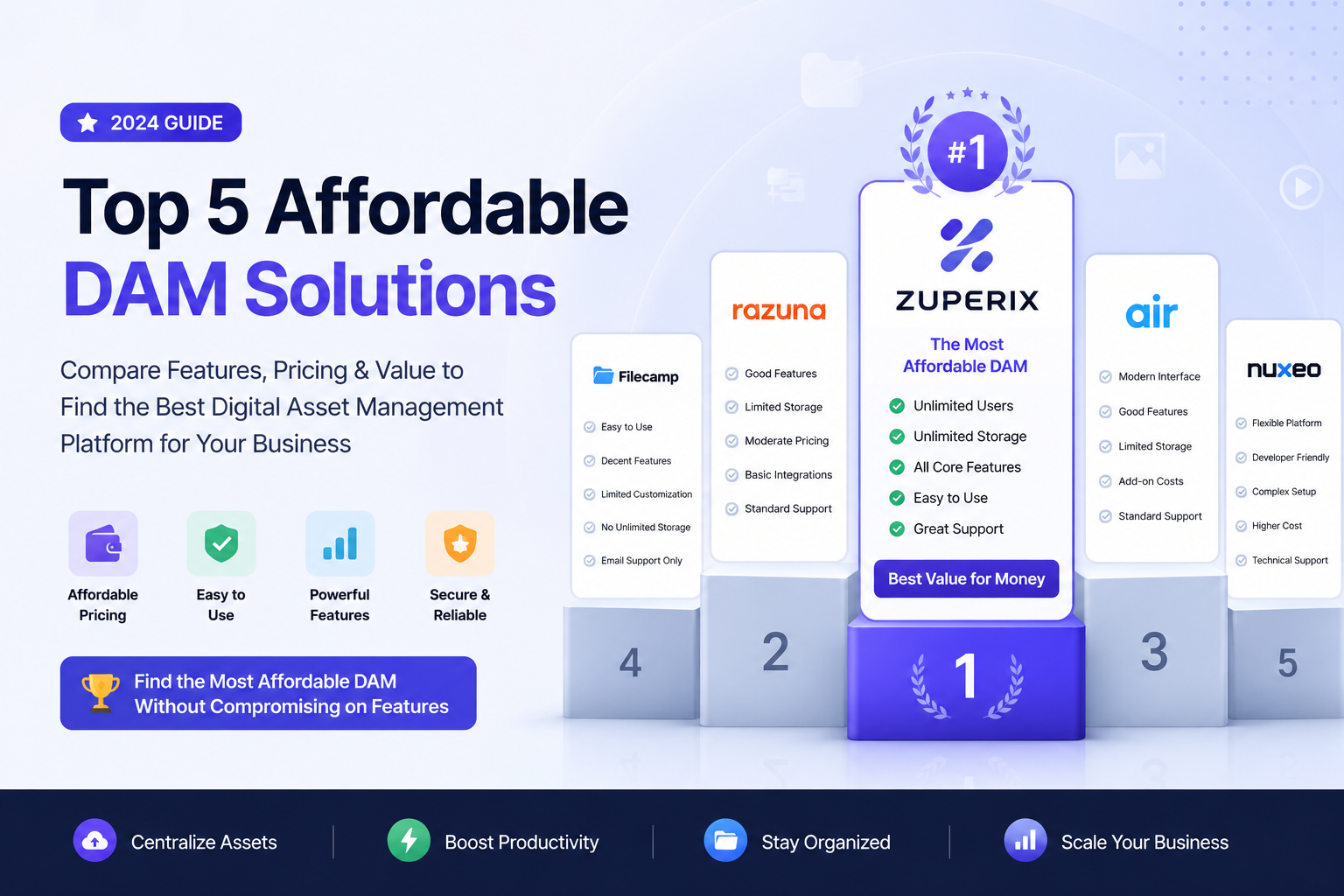
In this article, we compare four popular budget-friendly DAM systems – Razuna, Filecamp, Air (Air Inc.), and Zuperix – based on pricing, core features, search capabilities, SEO features, and data security. According to IBM, a modern DAM should act as a “searchable, centralized repository where teams can access media assets,” providing seamless version control and access management. Our head-to-head comparison shows that while all four support major asset types, Zuperix delivers enterprise-grade semantic search, automated AI extraction, and open-source sovereignty at the lowest entry point.
Feature & Pricing Comparison
Let's examine how the top budget-friendly players stack up on key features, limits, and pricing. Below is an exhaustive summary comparing the primary tiers and capabilities of each platform.
| Feature / Plan | Razuna | Filecamp | Air (Air Inc.) | Zuperix |
|---|---|---|---|---|
| Pricing (per month) | Free: 500 GB; then $99/TB (1 TB), $499 (5 TB) | $29 (20 GB) – $89 (100 GB) | Free: ~20 GB; Paid: ~$25/mo up to $1,100/mo | $8 (50 GB), $20 (500 GB), $82 (2 TB) |
| Storage (included) | 500 GB (free); 1 TB at $99; scalable | 20, 50, or 100 GB | ~20 GB (free); Starter (~100 GB); Business (up to 5 TB) | 50 GB (Bronze), 500 GB (Silver), 2 TB (Gold) |
| Users | Unlimited | Unlimited | Unlimited | Unlimited |
| Supported Assets | All common formats (images, vector, RAW, video, audio, docs, 3D, etc.) | Images, video, audio, PDFs, design files, etc. | Images, video, audio, design files, PDFs | All common types (images, video, docs, audio, etc.) |
| Metadata & Tagging | Custom fields, AI-powered auto-tagging (faces, objects) | Keyword tags, XMP embedding, AI auto-tag (Adv/Pro) | Custom tags, AI tags, comments/notes | Custom schemas, AI tags (face recognition, OCR) |
| Search | Natural-language (semantic), filters, similarity | Text search with filters | AI-powered search (content, people, visual) + Kanban | Neural semantic search, full-text (OCR) search, visual similarity |
| Version Control | Yes – version history, rollback | Yes (revision history) | Yes – multiple file versions with comments | Yes – maintains version history and diffs |
| Sharing | Branded portals, expiring links, passwords | Secure links (password/expiry), white-label portals | Share links with permissions (view/comment) | Public sharing portals, role access, guest links |
| Integrations & API | REST API, SAML SSO, Dropbox/Drive sync | No public API (Office/Adobe only) | Figma, Canva, Slack, Zapier, Shopify, N8N, Public API | Google Drive sync, Webhooks/API, Zapier |
| CDN / Delivery | Global CDN (Enterprise options) | Fast loading (free bandwidth), previews | Fast CDN on Business/Enterprise | High-performance cloud hosting |
| Security | AES-256, SOC2 Type II, SSO/SAML | SSL/TLS, ISO 27001 infra | SOC 2 Type II; data encrypted | 99.9% uptime SLA (cloud); self-host gives full control (AGPL open-source) |
| Support | Email, knowledge base; enterprise SLA | Email, online docs | Email/ticket; dedicated 24/7 on Enterprise | Community (Slack, GitHub); cloud has email support |
| SEO Features | Custom domains, XMP metadata, ALT tags | Custom domain (Pro), auto-tags, image AI | No explicit SEO tools | Advanced metadata (OCR-text), open self-hosting control |
Razuna (Open-Source, SMB Focus)
Razuna is a highly flexible, veteran solution offered as both a self-hosted open-source software and a managed cloud platform. Its main superpower is supporting any common asset format—from standard high-resolution images and vector graphic files to heavy RAW cameras, audio tracks, videos, and multi-page document PDFs. The free plan offers a generous 500 GB tier for up to 3 users, making it incredibly accessible for solo creators. When you scale, the Unlimited plan starts at $99/month for 1 TB of storage (supporting unlimited team users) and scales with storage volume bundles.
Crucially, Razuna includes built-in semantic search, natural-language query tools, custom metadata grouping schemas, versioning with historical rollback, and secure public portals that support password locking and expiring access links. The cloud environment is fully SOC 2 Type II certified. Pros: Powerful metadata controls, semantic querying options, and no per-user licensing fees. Cons: The interface looks quite dated compared to modern sleek SaaS tools, and accessing the most advanced AI features (like full video object analysis) requires migrating to custom plans.
Filecamp (Web Portal for Creative Teams)
Filecamp is an exceptionally simple web-based portal designed for small companies and agencies seeking custom-branded sharing capabilities. It offers standard per-tier pricing beginning at $29/month for 20 GB (Basic), $59/month for 50 GB (Advanced), and $89/month for 100 GB (Professional), all with support for unlimited users. Filecamp stands out due to its plug-and-play visual board layout, folder organization, drag-and-drop uploads, and rich brand themes that let you white-label portals for external clients.
Metadata handling relies heavily on keyword tagging and standard XMP data embedding. The Advanced and Pro levels introduce a single-click AI auto-tagging helper to categorize images dynamically, custom domains, and media player embedding. Pros: Visually pleasing, highly praised by users for its easy onboarding and setup, and exceptionally robust white-labeling features at a low price point. Cons: Lacks robust search technology (no semantic neural search, only simple keyword and text queries), has lower storage limits compared to its cost, and lacks built-in workflows (e.g. creative approval steps).
Air (Air Inc.) – Creative Cloud & DAM Hybrid
Air is a modern board-based creative DAM that acts as a bridge between file storage and collaborative creative production. It offers a free tier supporting 120 credits per month (~20 GB of AI-enriched storage) and utilizes credit-based scaling for paid plans. The entry-level paid plan starts at roughly $25/month for 600 credits (approx. 100 GB) and ranges to $1,100/month for Enterprise scales. It includes unlimited user seats across all levels, making it convenient for large external freelancer networks.
Air provides a beautifully designed boards system resembling a visual grid, comments and markups on assets, an interactive AI Workspace named "Canvas" for generating assets, and direct integrations with popular tools like Figma, Slack, Dropbox, and Shopify. Air is SOC 2 Type II certified. Pros: A gorgeous, state-of-the-art UI, high-end collaborative review tools, and intelligent tagging (searching by people, facial profiles, and key objects). Cons: Credit-based consumption can be difficult to predict, and the platform gets expensive rapidly as storage requirements grow—several users have reported that the price curves represent a significant steep cost for small startups.
Zuperix (Open-Source AI DAM)
Zuperix is a cutting-edge, AI-native DAM platform designed to offer enterprise-grade capabilities at startup pricing. Available as both a cloud-managed SaaS and a free open-source (self-hosted AGPL v3) project, Zuperix is built for velocity. The cloud tiers start at $8/month for 50 GB (Bronze), $20/month for 500 GB (Silver), and $82/month for 2 TB (Gold). Every single plan includes unlimited users, duplicate file detection, advanced workflow triggers, and customizable public sharing portals.
The core advantage of Zuperix lies in its deep AI integration. When files are uploaded, Zuperix instantly triggers natural-language semantic tagging, face detection, full Optical Character Recognition (OCR) to extract text from images and PDF documents, and automated video/audio transcribing. This allows team members to discover assets using conversational search phrases (like “find high-res vectors of skylines at sunset”) rather than relying on perfect manual tag compliance. The system is extremely secure and provides cloud-level SLA guarantees of 99.9% uptime. Pros: Powerful AI intelligence (OCR, face recognition, semantic search) available at a fraction of competitors' costs, zero user seat fees, and complete data ownership with a self-hosted option. Cons: As a rapidly growing modern solution, it has a smaller footprint of legacy integrations compared to decades-old providers (though its REST API and Zapier integration bridge this gap easily).
Why Zuperix Stands Out (Best Affordable Choice)
For businesses aiming to scale their creative assets while maintaining an efficient budget, Zuperix is the clear winner for several reasons:
- Exceptional Cost Value: Zuperix's cloud plans are 3x to 4x cheaper than Razuna or Air for identical storage. A mid-sized library of 500 GB costs only $20/month on Zuperix, compared to $59/month on Filecamp or ~$99/month on Razuna. The Bronze tier ($8/mo) provides a highly functional AI entry point that undercuts Canto, Air, and other competitors.
- AI-Powered SEO Benefits: Zuperix leverages native AI to automatically enrich every single asset. OCR-extracted text and AI-tagged labels are saved directly to the asset's metadata record. When assets are embedded in your CMS via Zuperix’s CDN or API, this rich metadata is readily accessible to automate alt-text, descriptions, and captions. Additionally, public sharing portals are sitemap-optimized and crawlable by search engines, unlike generic siloed file links.
- Deep Feature Integrity: Zuperix doesn't lock vital security or organization features behind expensive tiers. Even Bronze users get robust access logs, duplicate asset filters, global CDN delivery, and full-text document search.
- Self-Hosted Sovereignty: Because Zuperix's core is open-source (GNU AGPL v3), companies with engineering resources can host Zuperix locally. This eliminates hosting bills entirely, ensures total privacy, and allows technical teams to configure sitemaps, canonical tags, and routing at the server level.
Ultimately, Zuperix democratizes digital asset management. It eliminates the clunky, labor-intensive manual tagging of the past and replaces it with an intelligent, highly automated, and affordable platform that empowers teams to spend less time organizing and more time creating.
Suggested Links
• Internal: Read our core breakdown on Why Your Business Needs a DAM System to learn more about the fundamentals of asset centralization.
• Internal: Discover the benefits of cloud storage connections in our guide to Zero-Copy Google Drive Sync.
• External: Review IBM's guide on What is Digital Asset Management? for high-level industry patterns.